
Define a business result before choosing a style
A redesign is not necessarily the right response to an unattractive website. First define the business problem. Are visitors failing to understand the offer, struggling to book, leaving on mobile, or finding outdated details? Identify a primary action—enquiry, purchase or booking—and how its completion is currently measured.
Write a short brief with the audience, core offer, existing site URL, priority pages and the one result you want to improve. Without a baseline, a new look cannot be assumed to have improved sales.
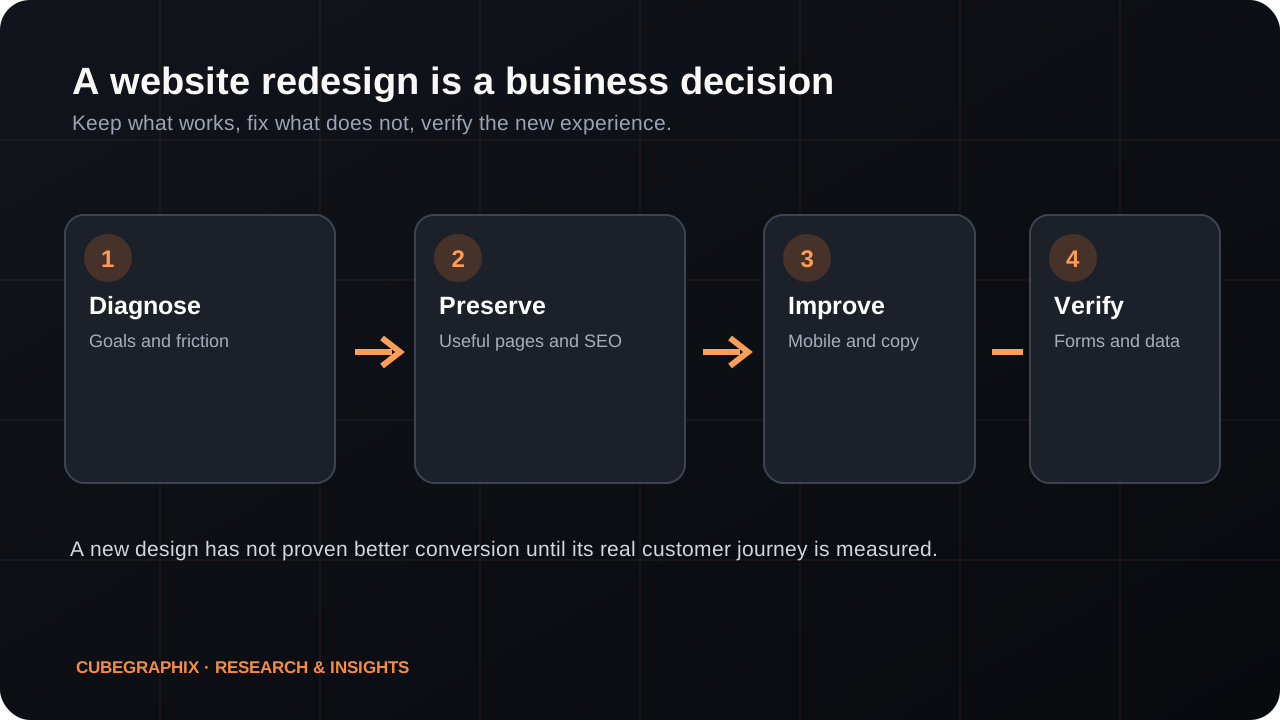
Audit the existing journey
- Can a first-time visitor understand what you offer from the first screen?
- Is the primary CTA visible and does it lead somewhere useful?
- Do phone numbers, emails, booking forms and checkout work on real mobile devices?
- Are testimonials, certifications, project photographs and claims supported?
- Which pages currently attract visitors or enquiries?
Walk through the actual customer journey rather than scoring only the homepage image.
Preserve useful content and search equity
Record current indexed URLs, high-value pages and relevant incoming links before changing the structure. When URLs change, plan appropriate redirects; keep canonical tags, internal links and the XML sitemap consistent. Avoid accidentally applying staging noindex rules to the public website.
Not every page needs rebuilding. Keep strong content, rewrite unclear sections and remove duplicate material when there is a real reason.
Prepare the material the agency needs
Collect the approved logo, brand fonts/colors if available, real team and project photography, key services, accurate business details, social proof with permissions, and basic customer questions. For bilingual sites, agree which language versions require professional review.
Ask how the site will be managed after launch: who controls the domain, hosting, source files, content editor, backups, third-party accounts and ongoing bills.
Compare proposals on scope and recoverability
Before signing, ask for the proposed pages, copywriting responsibility, image sourcing, integrations, review rounds, testing, launch method and post-launch support. Confirm what is excluded. A lower price may be reasonable for a simpler website; it may also omit migrations, content, performance checks or ownership terms.
The simplest suitable platform is often better than an elaborate stack. Choose based on editing needs, maintenance cost, integrations and recovery options, not technology fashion.
Verify the launch and measure after it
Acceptance should include mobile/desktop layouts, complete content, working contact paths, analytics events, accessibility basics, redirect checks, canonical/index settings and rollback. Once live, compare qualified enquiries over a meaningful window while accounting for campaign and seasonality changes.
Use a one-page redesign scorecard before writing the brief
A practical scorecard prevents the project from becoming an argument about whether a color or animation looks modern. Give each important page a clear outcome and mark what is actually observed. For the homepage, can a new visitor identify the service, intended audience and next step? For the Services page, are inclusions, examples and limitations understandable? For the Contact page, does a completed enquiry arrive where the business can respond? For mobile, can a visitor operate the menu, read the text and finish the primary action without pinching or horizontal scrolling?
Do not add arbitrary scores to everything. A broken mobile booking link may be more damaging than an old hero image even if the latter looks worse. Assign critical priority to failure of purchase/contact paths, accessibility barriers or incorrect business facts; high to unclear core messaging and severely poor navigation; medium to improveable visual hierarchy and supporting content; and low to decorative preferences. Record an actual URL and screenshot for each finding so the designer can reproduce it.
For instance, a home-improvement company might receive referrals from local homeowners but have a desktop-only quote button. The redesign brief should not merely say “more contemporary”. It should require a mobile quote action with an appropriate service category, the correct service area, consented project photographs and confirmed lead delivery. That gives the agency an acceptance test. If the existing portfolio pages attract useful search enquiries, keep or carefully migrate their URLs. Redesign the weaknesses without erasing the site's strongest assets.
Check technical handover before any visual relaunch
Many projects go wrong after the screenshots have been approved. Make an inventory of current domain control, DNS, hosting, CMS/editor access, form endpoint, payment and booking integrations, analytics, Search Console, business profile and any mail-sending configuration. Ask who is contractually responsible for each. Do not share account passwords in documents or ask a designer to improvise replacement services because an owner cannot find the original credentials.
Prepare a URL map: old path, new path, whether a redirect is required, canonical target and owner approval. Check that media is licensed and that real testimonials can be reused on the redesigned site. If the site serves Arabic and English, verify actual translations, right-to-left layout and language-switch routes; a switch that sends an Arabic reader to an unrelated page is a broken user journey. Record a rollback strategy for DNS or production deployment so a failed release can be reversed.
A launch checklist should then verify public HTTP responses, index directives, sitemap entries, canonical links, images, keyboard navigation, contrast, responsive widths and conversion events. Test actual submission delivery with an authorized test contact; opening an email application is not equivalent to an enquiry reaching the company. Run a real mobile walk-through of the primary sales path and compare it with the baseline, rather than accepting only the agency's desktop screenshot.
Select the right project scope and measure outcomes after launch
There are three realistic alternatives: (1) a targeted improvement sprint that fixes messaging, mobile navigation or contact; (2) a design refresh that preserves the platform and many existing pages; or (3) a full rebuild when the technology, content architecture or integrations materially block the business. Ask the provider to explain why its proposed option has the lowest total cost and acceptable long-term maintenance. A complex framework or plugin collection is not automatically a better product.
Agree deliverables before work begins: page inventory, content responsibility, design reviews, accessible responsive behavior, integrations, SEO migration, content editor requirements, launch support and warranty/maintenance boundaries. For a managed monthly website, clarify setup fees, minimum commitment, cancellation and eventual ownership from the actual agreement. A free image concept may help evaluate visual direction, while a subsequent clickable preview helps evaluate usability; neither alone demonstrates a future lead-generation result.
After launch, compare meaningful enquiries, qualified opportunities and actual sales over a reasonable observation window. Record other changes such as advertising, seasonal demand or referral campaigns. If traffic improves without enquiries, investigate the offer and contact path before declaring the redesign successful. The strongest post-launch report identifies changes and real observations without attributing every outcome to the website alone.
Further reading and source material
These references support the technical guidance and provide context for further verification.
- Google Search Central — site moves with URL changes
- Google Search Central — SEO starter guide
- web.dev — Core Web Vitals
Improve the website, not just the metrics.
CubeGraphiX helps businesses identify and address practical website, search and conversion problems. Start with a short description of your business and goals.
Discuss a website redesign ↗